Vexy Lines for Mac & Windows | Download | Buy | Batch GUI | CLI/MCP | API | .lines format
vexy-lines-run
Drop images in. Pick a style. Get vector art out.
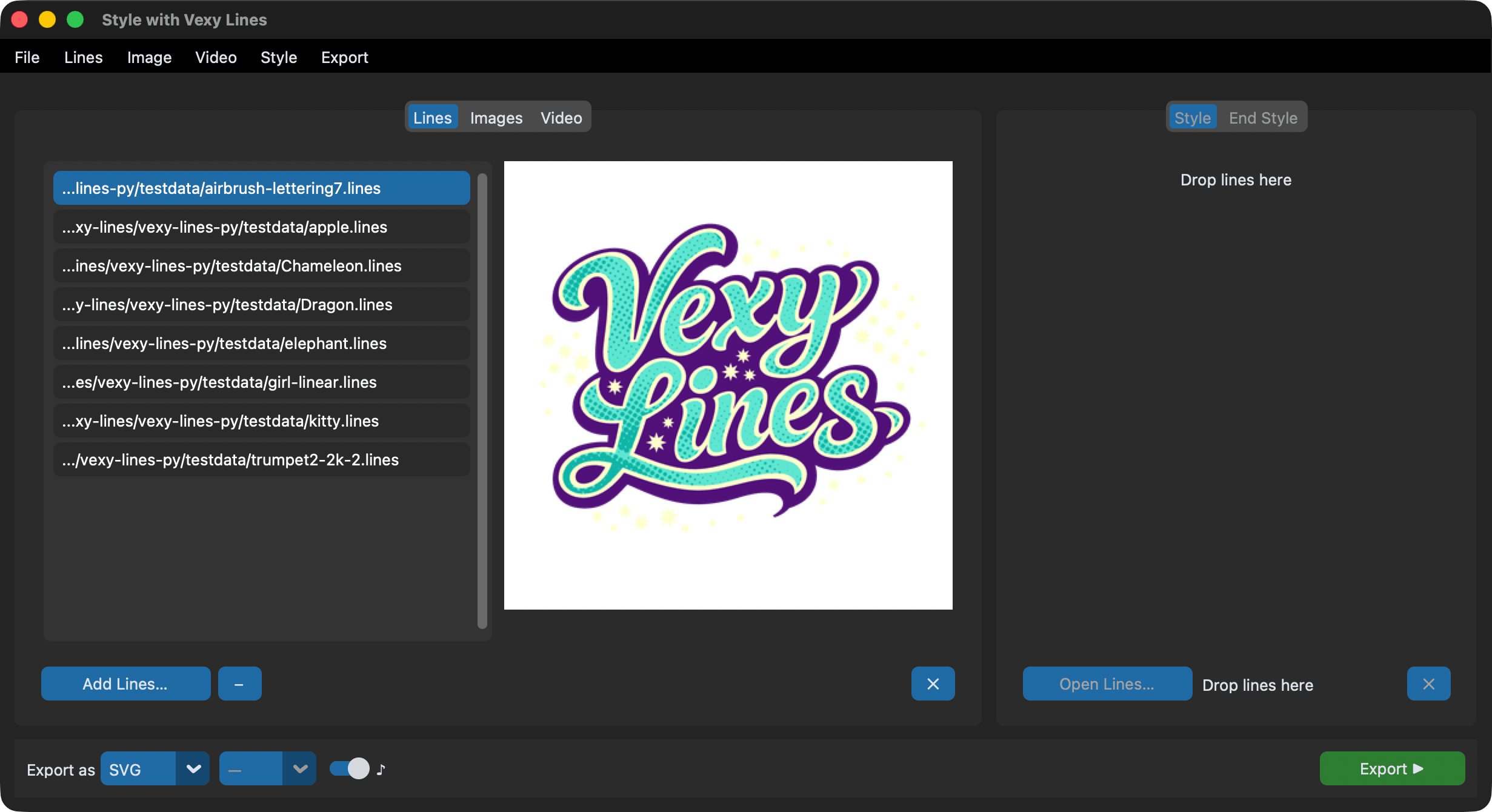
vexy-lines-run is a desktop batch GUI for Vexy Lines style transfer. Feed it images, .lines documents, or video. Choose an artistic style. Export as SVG, PNG, JPG, or MP4. Built on CustomTkinter, it runs on macOS, Windows, and Linux.
Running Vexy Lines Run
macOS
Open Terminal, paste, press Enter:
curl -LsSf https://astral.sh/uv/install.sh | sh && "$HOME/.local/bin/uvx" --python 3.12 vexy-lines-run@latest
Windows
Open Command Prompt, paste, press Enter:
Batchfile
powershell -ExecutionPolicy ByPass -c "irm https://astral.sh/uv/install.ps1 | iex; $env:Path = \"$HOME\.local\bin;$HOME\AppData\Roaming\uv;$env:Path\"; uvx --python 3.12 vexy-lines-run@latest"
From Python
from vexy_lines_run import launch
launch()
Three tabs, one workflow
| Tab | Input | What happens |
|---|---|---|
| Lines | .lines files |
Extract embedded previews as PNG/JPG, copy files as LINES |
| Images | PNG, JPG, WEBP, BMP, TIFF, GIF | Apply vector fill patterns through the MCP engine |
| Video | MP4, MOV, MKV, AVI, WEBM | Style transfer frame-by-frame with optional audio passthrough |
Pick a primary style from any .lines file. Optionally pick an end style: the app interpolates between the two across the input sequence.
What you get
- Style picker with live thumbnail previews
- Style interpolation: blend two styles across a batch or video
- AI Rename Layers & Fills: describe each fill with a vision model and rewrite generic captions
- Drag-and-drop onto any panel
- Background export with live progress on the Export button
- Output formats: SVG, PNG, JPG (1x-4x upscale), MP4, LINES
- Native menu bar with full keyboard-equivalent access
- Dark mode via CustomTkinter
Documentation
- Installation: quick start, platform notes, dependencies, dev setup
- GUI Guide: what every button does, with screenshots and troubleshooting
- GUI Technical Documentation: architecture, widget tree, threading, implementation details
- Examples: real workflows step by step, plus scripting recipes
- API Reference: Python API for App, processing, video, and widgets
- Changelog: release history